UX
Case Study
QuickApps - no-code app builder
Tools Used
Teams
P
Pedro Rodrigez
owner
B
Brian Holmes
Collaborator
Publish on Appstore
Navigation items
Home
Categories
Cart
Profile
Page title
App Analytics
Publish on Playstore
About
QuickApps is an innovative Saas app builder platform for website owners seeking to expand their reach through mobile apps. It enables individuals and businesses to create mobile applications with ease, regardless of their coding or technical skills as the platform offers customizable templates, an intuitive drag-and-drop interface, and specialized features tailored for e-commerce apps.
Project Overview
01
Why this?
Traditional app development poses challenges for e-commerce website owners, hindering innovation and creativity due to complexity, time, and cost. Simplifying app development, eliminating coding barriers, and empowering website owners to create tailored applications effortlessly is crucial in the competitive e-commerce landscape. By providing a solution that streamlines operations, enhances customer experience, and enables growth, e-commerce website owners can overcome obstacles and realize their full potential.
My Role
Product Designer
Team
Product Designers, CFO, Director, Flutter Developer,
Back-end Developers,
Category
Saas Product
Duration
10 Weeks
Goal
Our aim is to create a user-friendly no-code app builder for e-commerce websites, enabling business owners to effortlessly customize and build their own applications without coding expertise, resulting in enhanced online presence, streamlined operations, and increased sales.
Solution
An all-in-one platform providing a seamless solution for creating an app for any
e-commerce store. With its flexible customization options and seamless data integration, one could easily create a personalized m-commerce app. The platform would also simplify the app publishing process, allowing the users to effortlessly release their app on both the App Store and Google Play Store, while also monitoring app progress through comprehensive analytics, all from the dashboard.
Problem, Goal & Solution
02
Problem
Statement
Many thriving online businesses face the pivotal challenge of extending their market presence and boosting sales by delivering a superior mobile shopping experience. However, lacking coding expertise and resources, they sought an intuitive solution to transform their website into a feature-rich mobile app.
Design Process
04
In this project, I utilized the Design Thinking process, which is a systematic approach for creatively solving problems. Tim Brown, the CEO of IDEO, describes design thinking as a "Human-Centered Approach to innovation" that merges the people's needs, the capabilities of technology, and the requirements for business success found within a designer's toolkit.
Stages of Design Process
Empathize
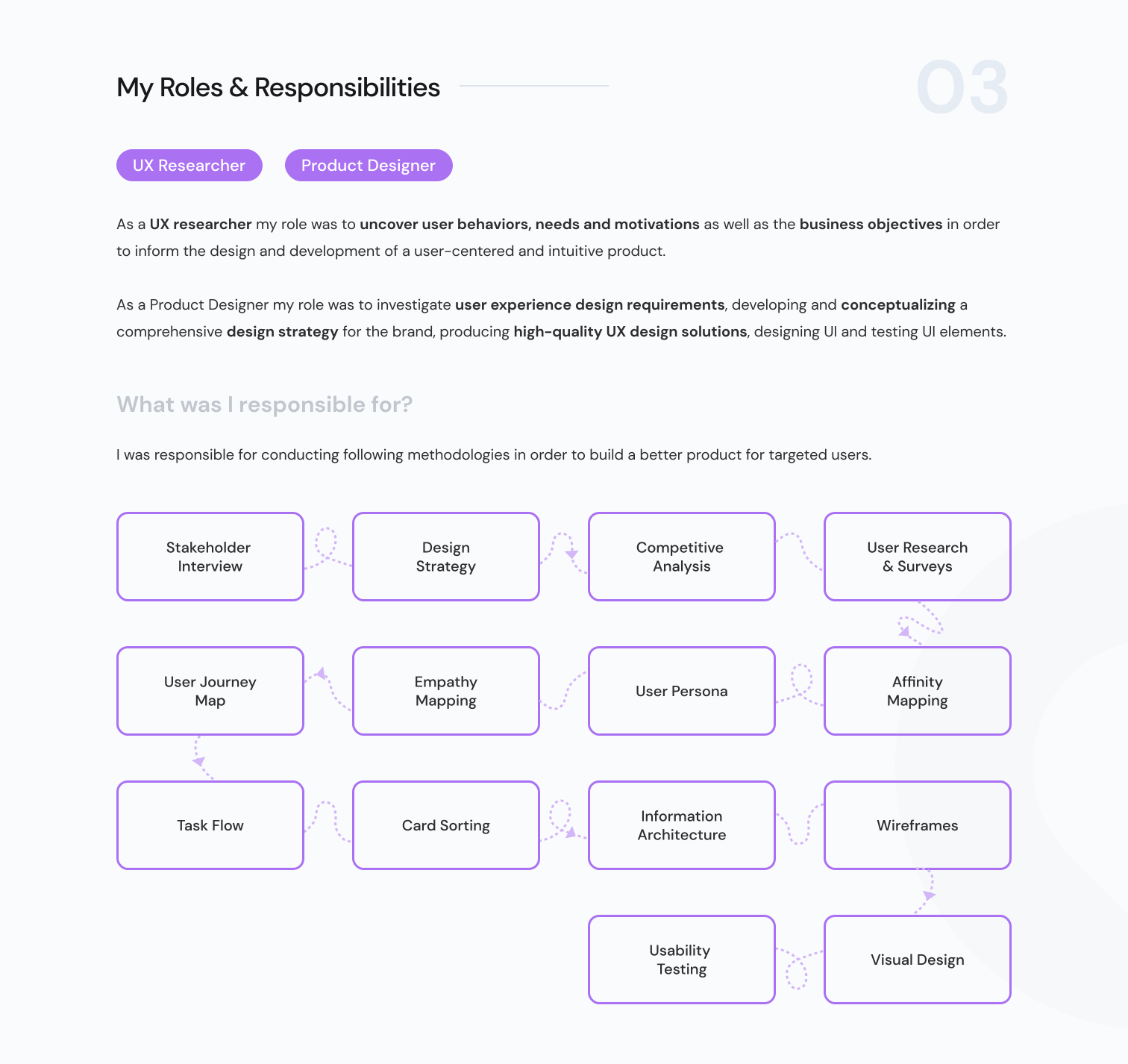
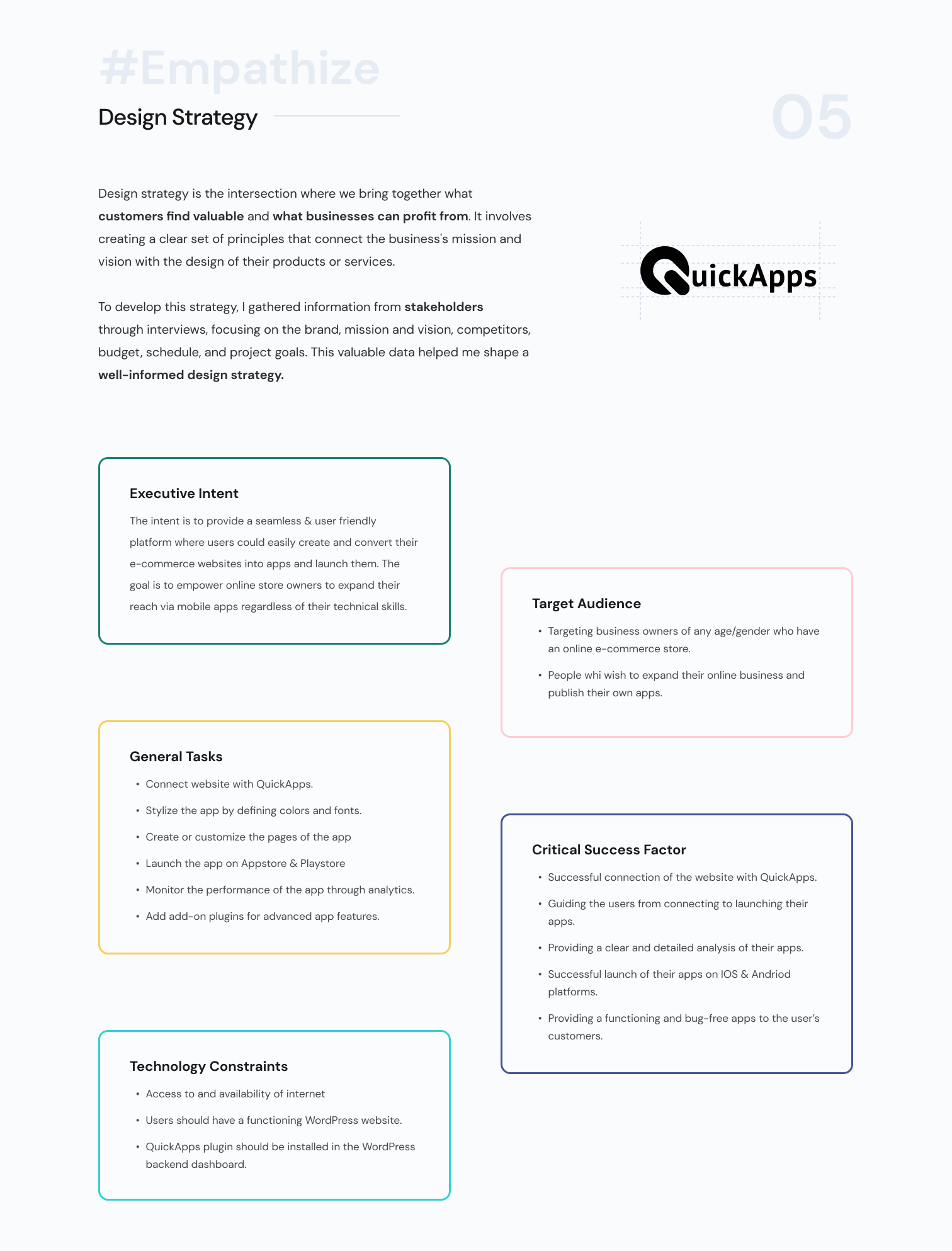
Stakeholder Interview
Design Strategy
User Research
Competitive Analysis
Surveys
Design
Wireframes
Visual Design
Prototype
Test
Usability Testing
Implement Feedback
Future Steps
Ideate
Brainstorm
Task flow
Card Sorting
Information Architecture
Define
Affinity Mapping
User Persona
Empathy Mapping
User Journey Map
Competitive Analysis
06
The purpose of a competitor analysis is to understand competitors' strengths and weaknesses in comparison to our own product and to find a gap in the market. A competitor analysis is important because: It will help to understand how to enhance our own business strategy
First, I looked for the most popular platforms that provided a similar service as ours and studied their profile i.e., their Audience Demographics & Business Model.
Then analysed their functionalities i.e., Feature Analysis and the constraints used to engage with the users and to understand What worked? & Why it worked?
I used their product personally, studied the product reviews on platforms like Capterra and g2, also referred to the play store/ app store reviews of the apps made on these platforms.
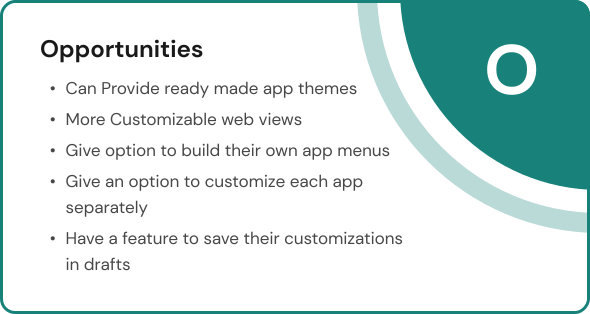
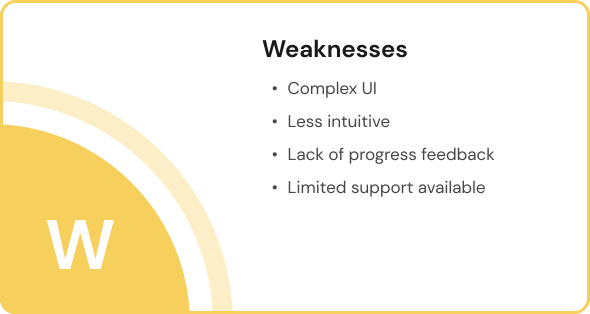
At last I conducted SWOT Analysis of my competitors. The key metrices of SWOT analysis are Strength, Weakness, Opportunities & Threats.
First, I looked for the most popular platforms that provided a similar service as ours and studied their profile i.e., their Audience Demographics & Business Model.
Then analysed their functionalities i.e., Feature Analysis and the constraints used to engage with the users and to understand What worked? & Why it worked?
I used their product personally, studied the product reviews on platforms like Capterra and g2, also referred to the play store/ app store reviews of the apps made on these platforms.
At last I conducted SWOT Analysis of my competitors. The key metrices of SWOT analysis are Strength, Weakness, Opportunities & Threats.
Steps I undertook
SWOT Analysis of competitors
AppMySite
AppMaker
AppyPie
Drag and Drop
Access Controls
/permissions
Real time updates on app
Advance Customization
Reporting/Analytics
Allows Collaboration
Troubleshooting
3rd party integration
Strengths
Drag and drop with advance customizations
App analytics
Complete journey from build to launch at one place.
3rd part integrations
Real-time updates
S
Threats
High Subscriptions
Very few customization options
Buggy app
Users preferring dedicated app development agencies.
T
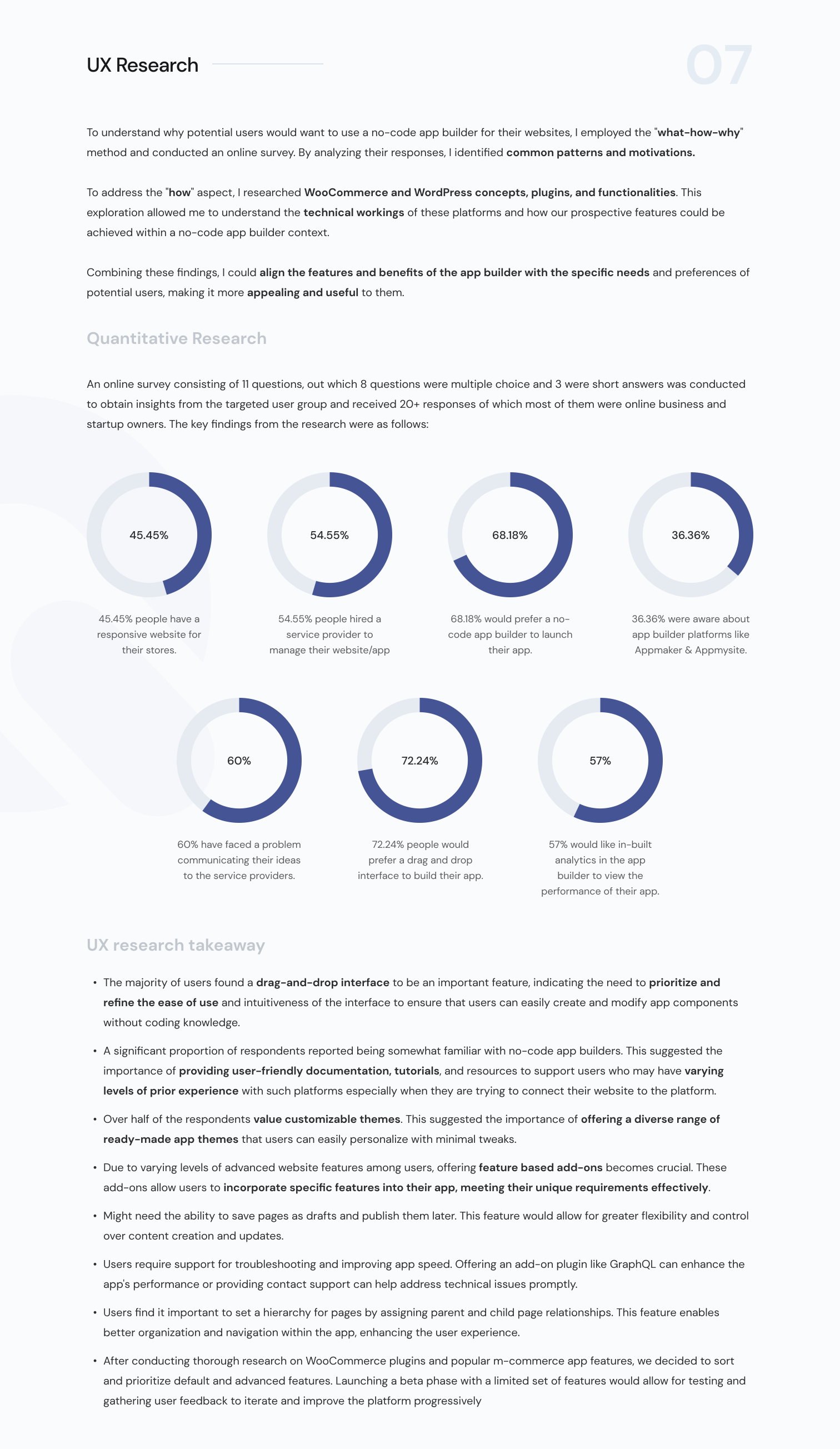
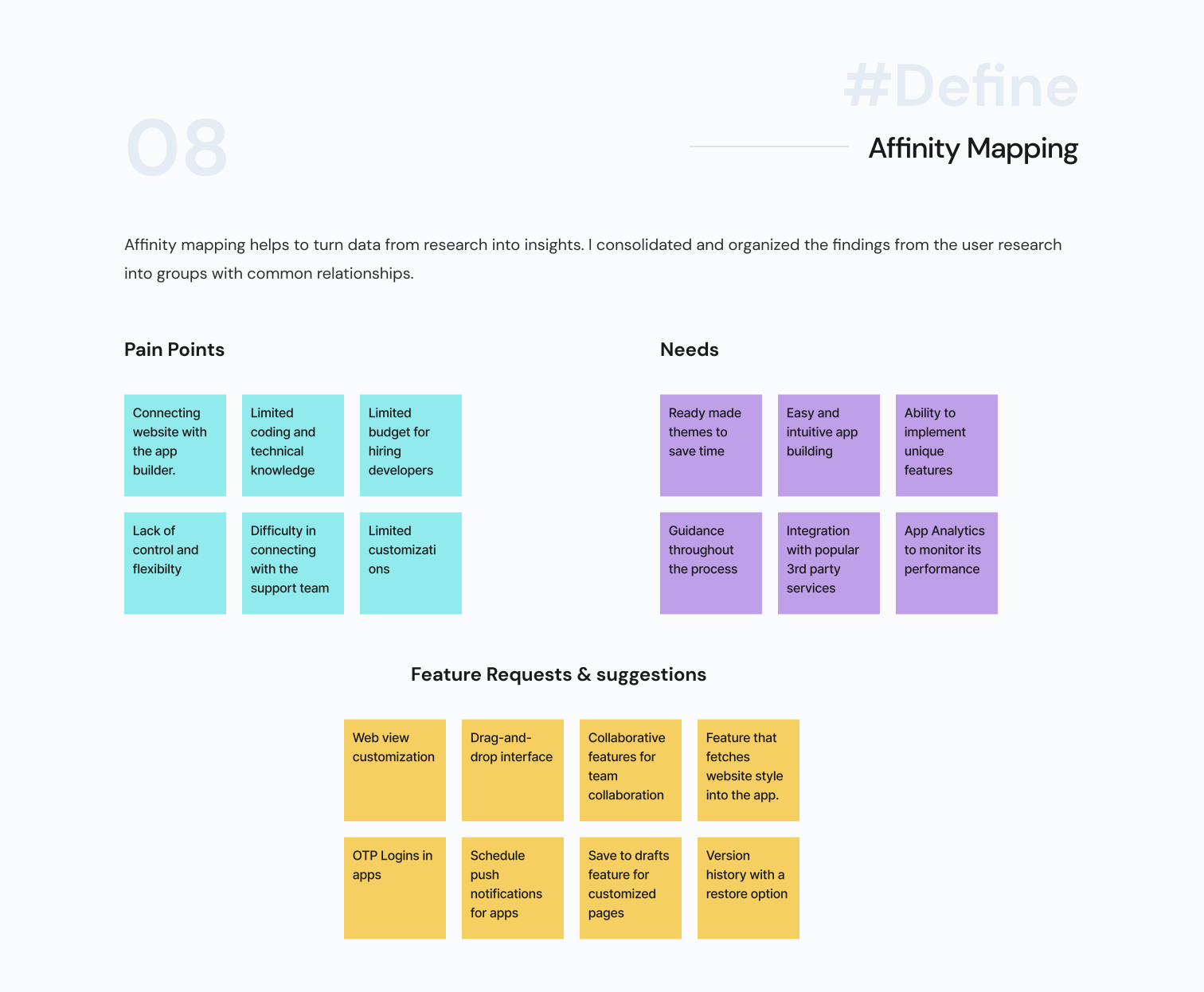
User Persona
09
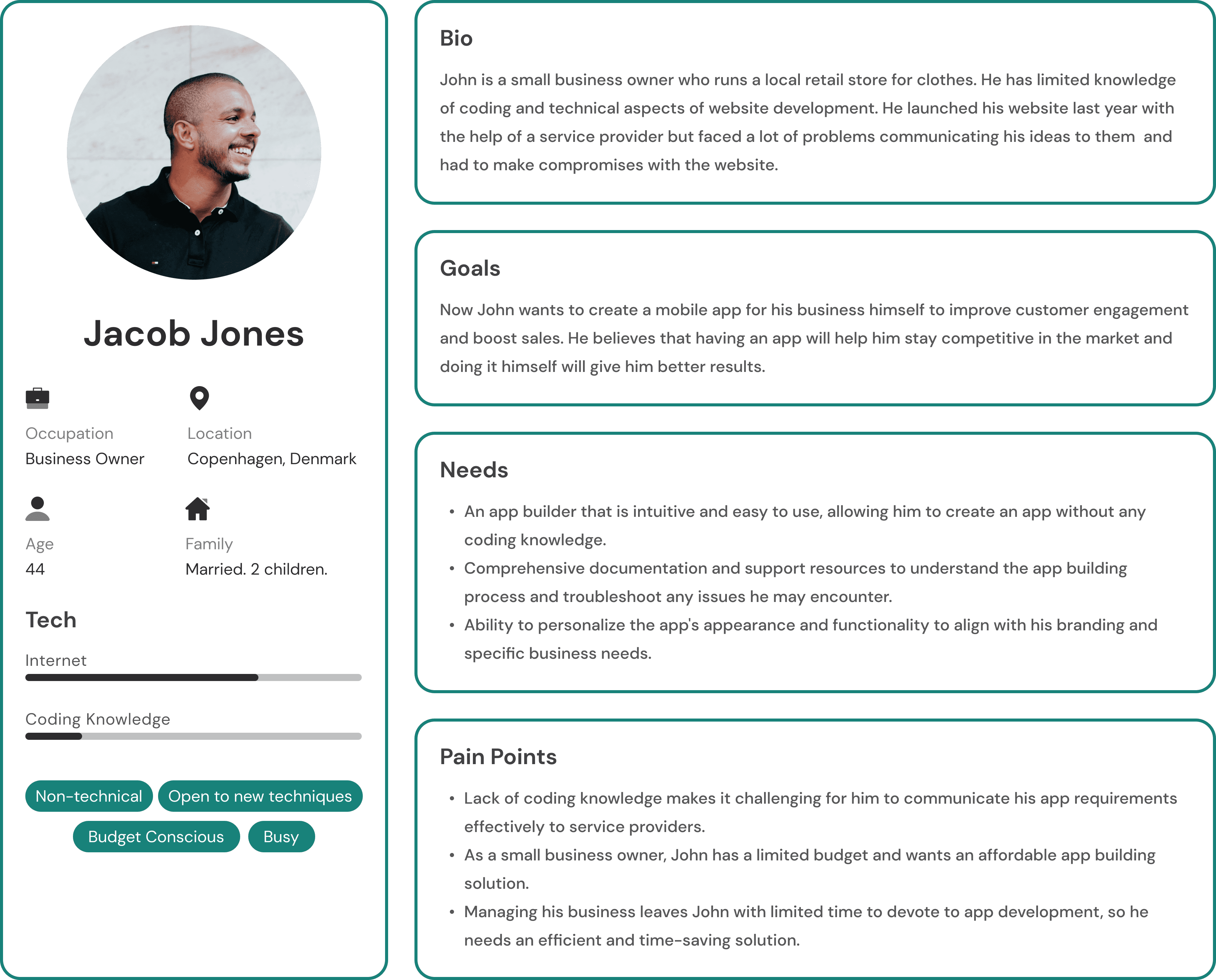
Based on my study, I created two personas that address the main pain points and represent different types of individuals in relation to the product.
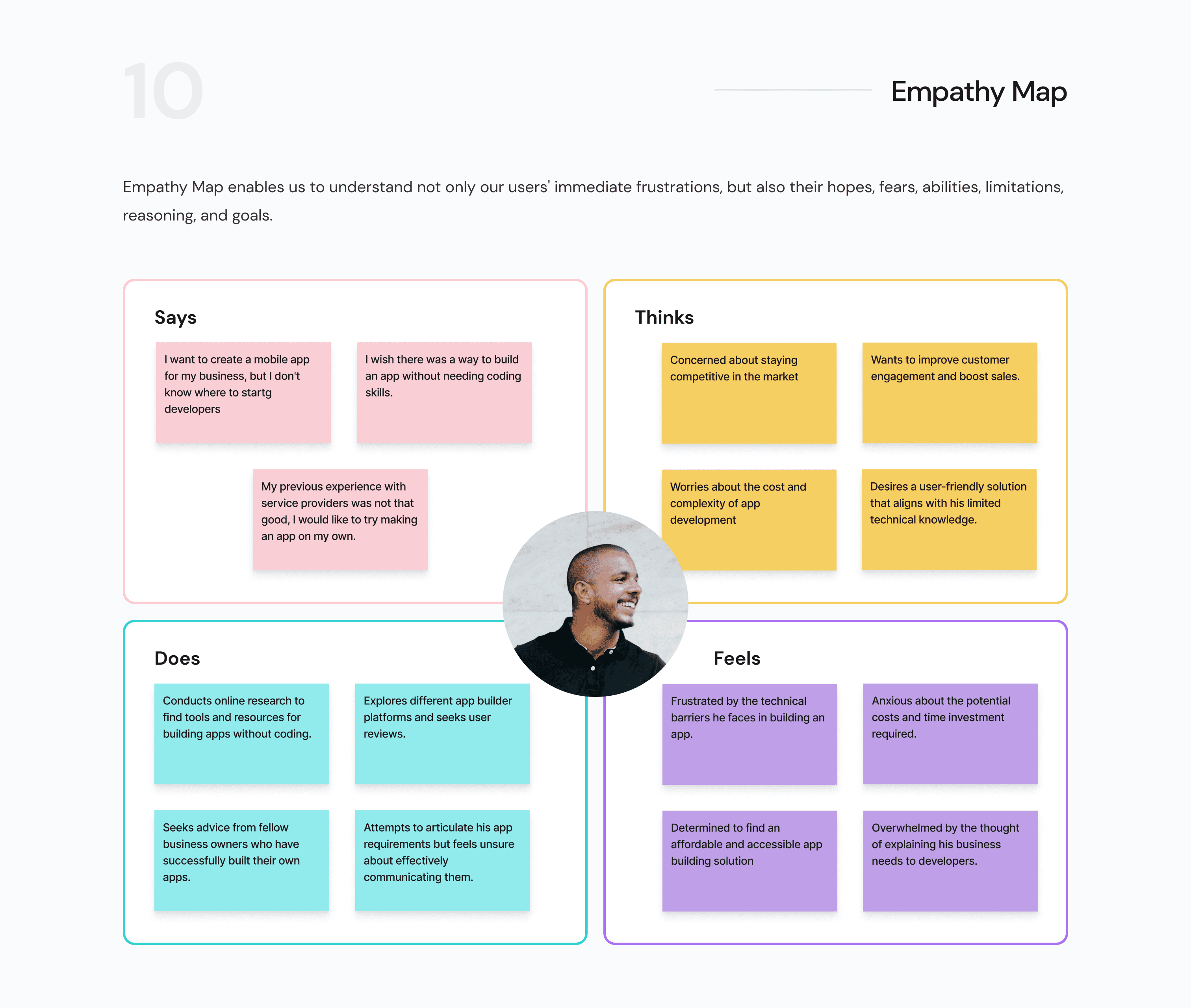
Case study in progress..
Coming soon!